Private beta
Home ServerYour home devices, in one place.
Your home is one place. Its controls should be too. Bring supported devices, scenes, and schedules into one dashboard, with an AI assistant to help. Runs on your Mac, opens in your browser.
What it does
Less app sprawl. More control.
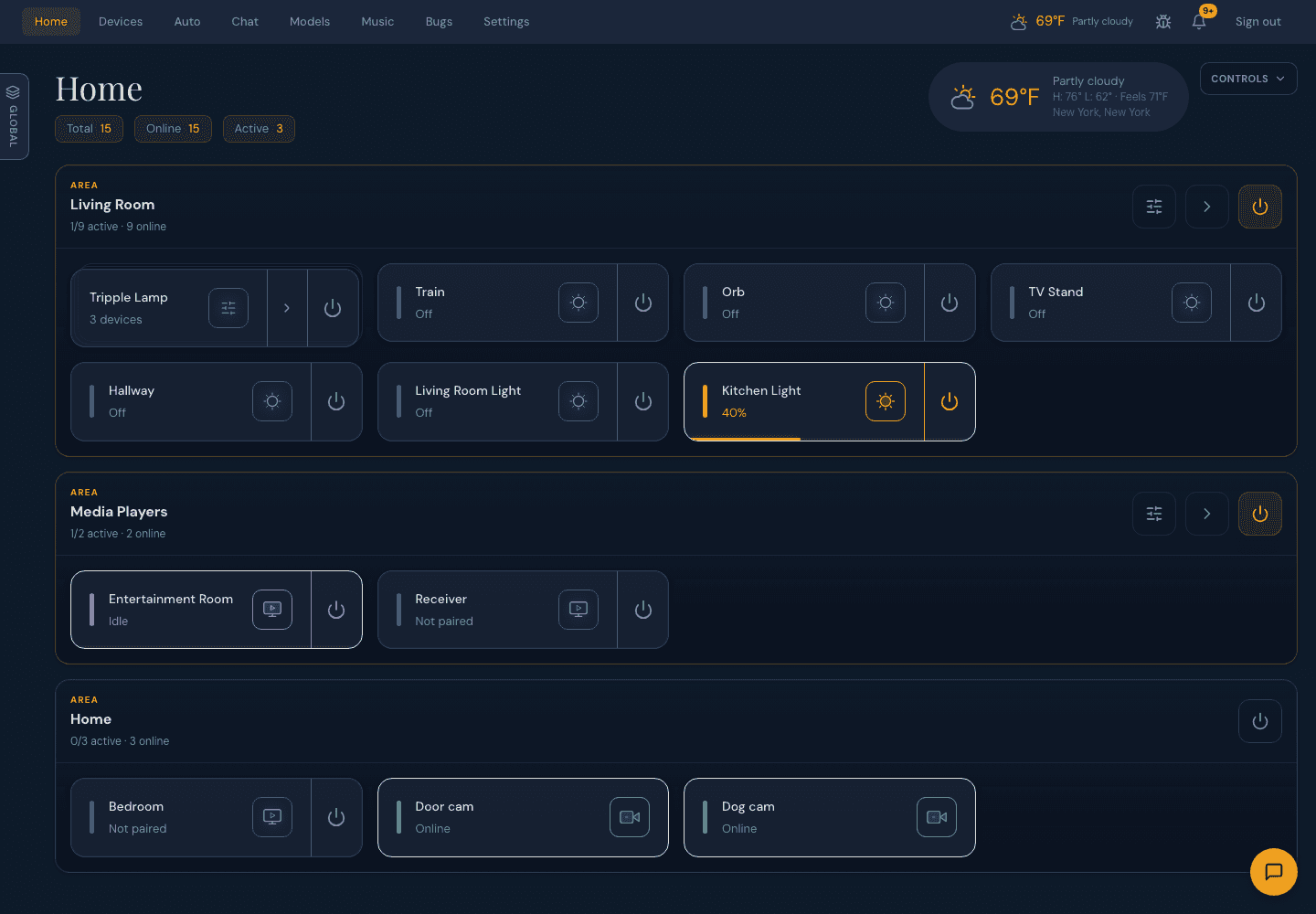
Device control
Bring supported lights, plugs, and cameras together. Check and control them from one dashboard, with less switching between apps.
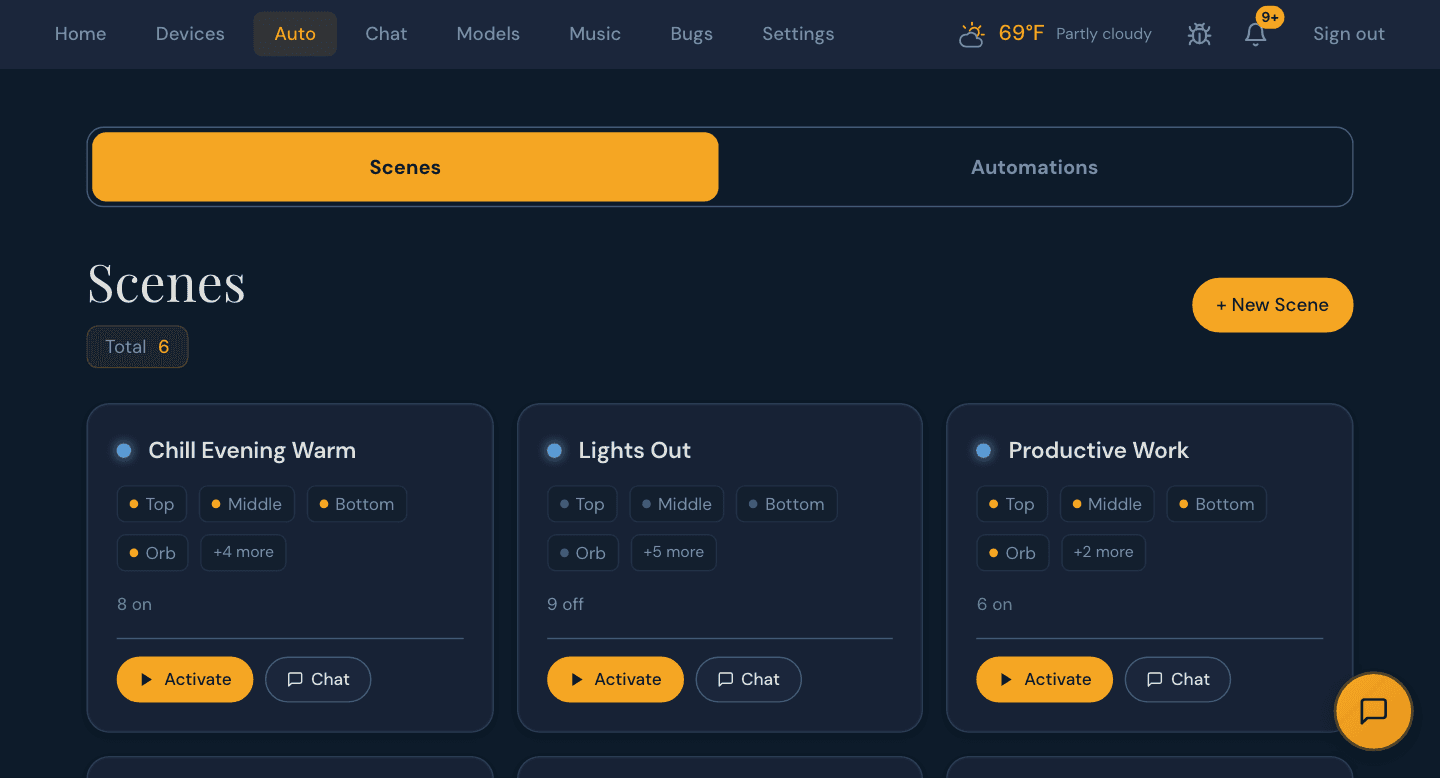
Scenes and schedules
Group devices into scenes and schedule your everyday routines. Set up the way you want your home to run.
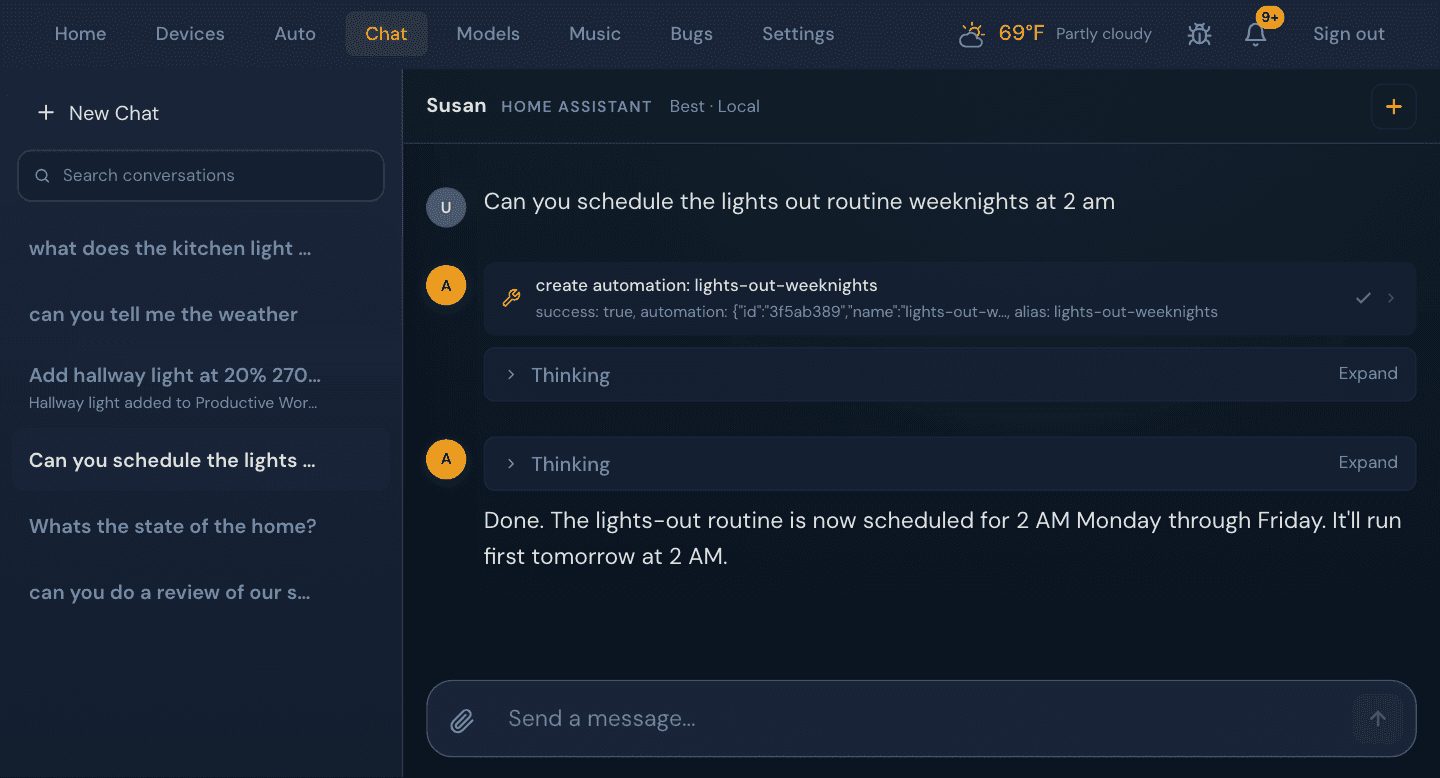
An assistant for your home
Use an AI assistant in chat to control supported devices. Conversations keep their context, so you can pick up where you left off.
Access
Access anywhere, on your network.
At home
Open Home Server from any phone, tablet, or computer on your home network. It works fully on your local network, with no remote service required.
Away from home, with Tailscale
Add your Mac to your own Tailscale network to reach Home Server from anywhere. Connections are encrypted end to end, with no port forwarding and no GT Labs servers in between.
Signed in, everywhere
Every connection, at home or away, requires your household sign-in.
Requirements
How it runs
- Runs on
- Your Mac, with Apple Silicon
- Opens in
- Your web browser
- Works with
- Supported lights, plugs, and cameras
- Remote access
- Optional, through your own Tailscale network
- Status
- Private beta
Availability
Currently in private testing.
We’re validating installation and hardware requirements before making Home Server available to download. A public installer is not available yet.