Private beta
Home ServerControl your home from your own Mac.
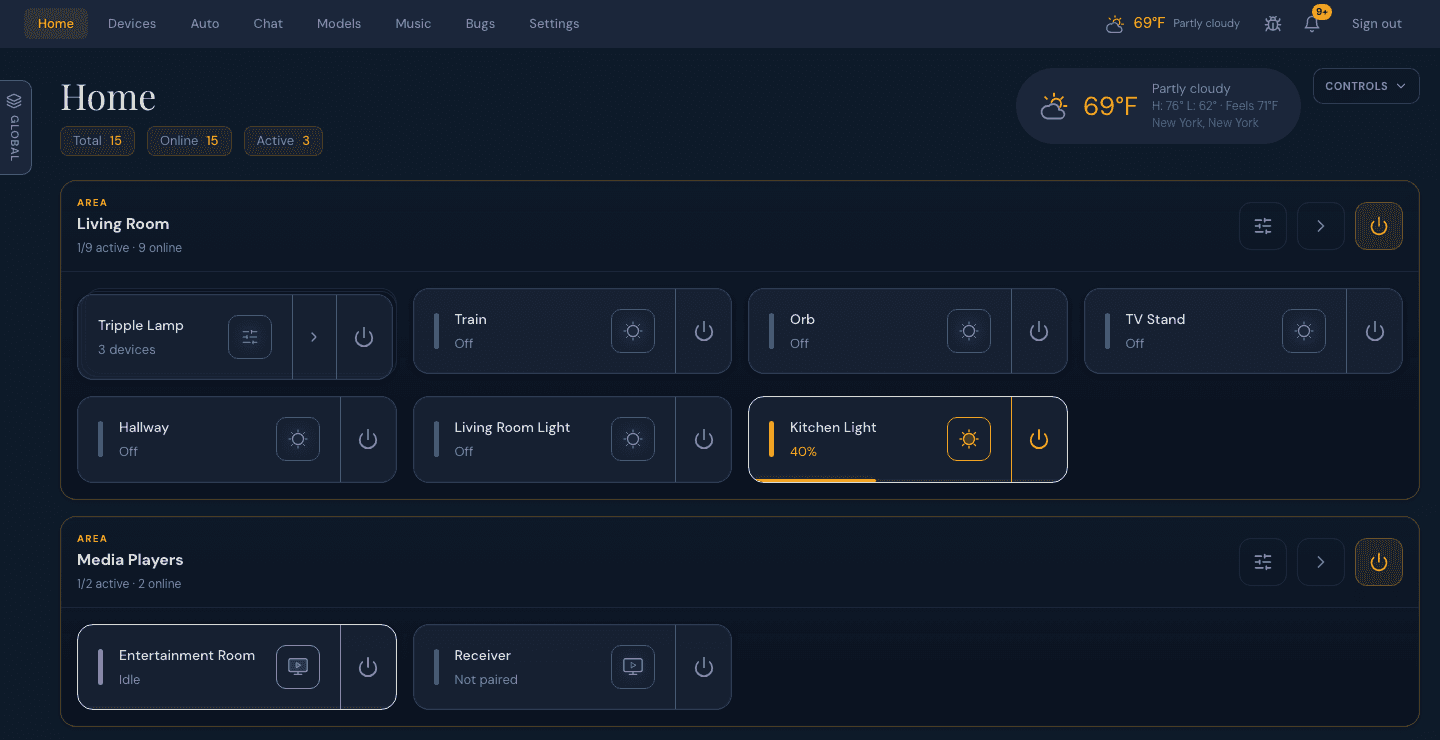
Bring lights, plugs, switches, vacuums, Apple TV and AirPlay speakers from several brands into one dashboard on your Mac, with scenes, schedules, a floor plan and an assistant. Open it in the Mac app or any browser on your network.
In the beta
One dashboard for devices, music and routines
Devices and music
Connect TP-Link Kasa, LIFX and Shelly devices on your network, Wyze plugs, lights and vacuums through Wyze’s cloud, SwitchBot over Bluetooth, and Apple TV. Stream Tidal to AirPlay speakers, room by room.
Rooms, scenes and schedules
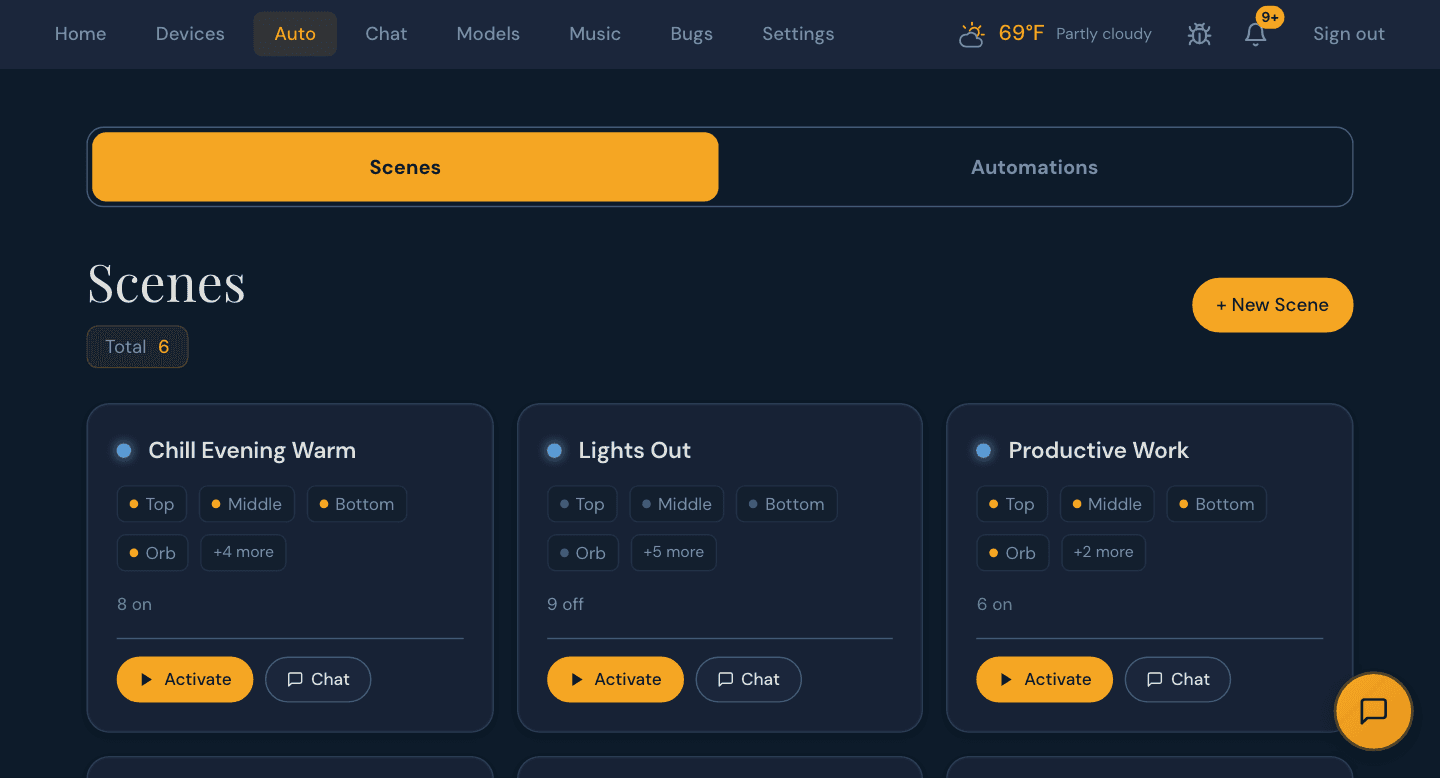
Organize devices by room, change several at once with a scene, and run routines on a schedule. Sketch or photograph your floor plan to place devices on a map of each floor.
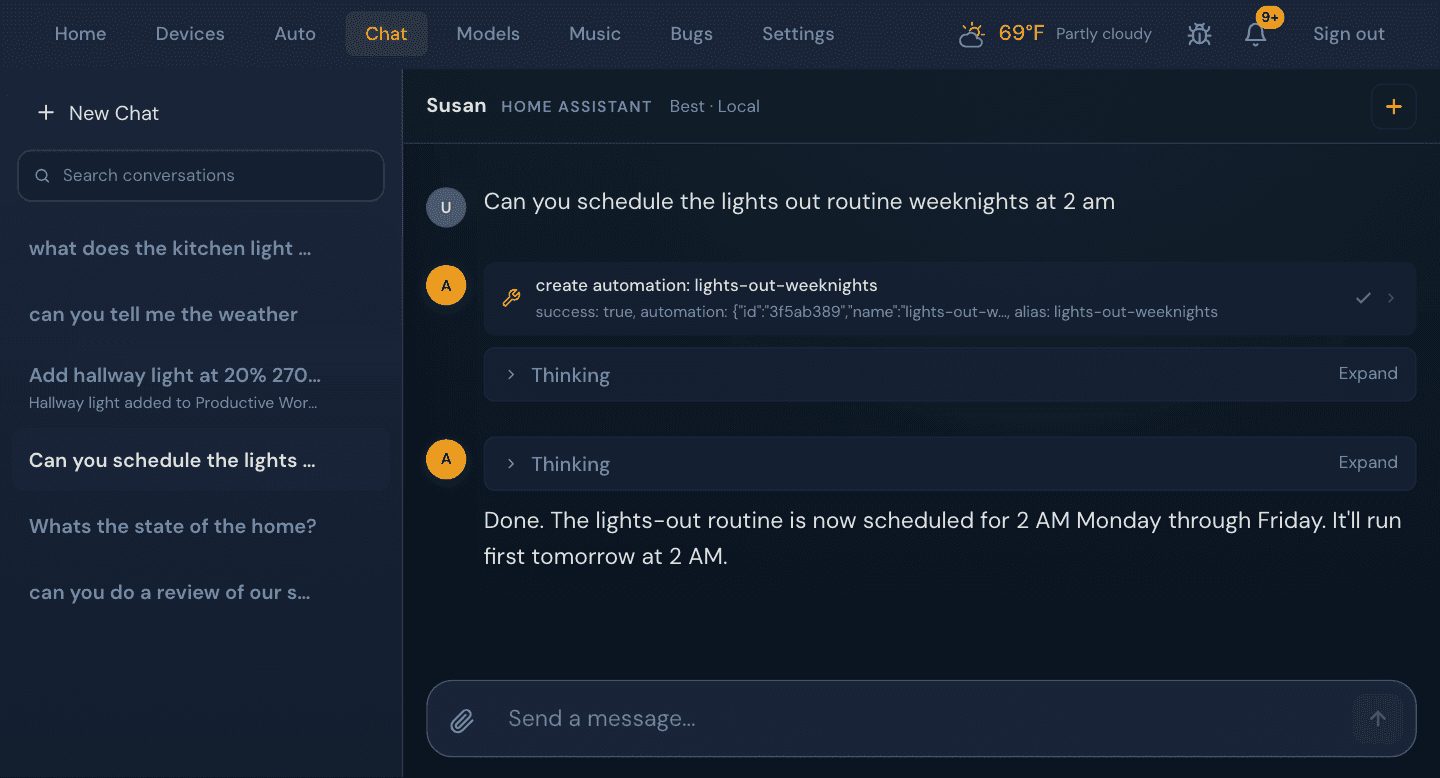
An assistant for your home
Ask in plain English to switch devices, run a scene or create a schedule. Ask about the weather and it checks the National Weather Service forecast.
Access and data
Local first, with private remote access
Runs on your Mac
Home Server runs on a Mac that stays on at home. Devices, settings and chats stay on that Mac, never on GT Labs servers. Open Home Server in its Mac app or in a browser on any phone, tablet or computer on your home network.
No account, ads or analytics
Home Server needs no GT Labs account and has no ads or third-party analytics.
Away from home, with Tailscale
Add your Mac to your own Tailscale network to control your home from anywhere. Connections are encrypted end to end, with no port forwarding and no GT Labs servers in between.
Household sign-in everywhere
Every connection, at home or away, requires your household sign-in.
What leaves the Mac
Assistant chats go to an open-source model at a cloud provider that keeps no data, unless you set up the optional local model, which downloads from Hugging Face. Weather lookups go to the National Weather Service, Wyze devices and Tidal connect through their own services, and update checks go to GT Labs.
Requirements
What you need
- Runs on
- A Mac with Apple Silicon that stays on; the Mac app needs macOS 14 or later
- Opens in
- The Home Server Mac app, or a web browser on your network
- Works with
- TP-Link Kasa, LIFX, Shelly, Wyze (plugs, lights, vacuums), SwitchBot and Apple TV; AirPlay speakers for music
- Assistant
- An open-source model at a cloud provider with no data retention by default; an optional local model in Settings, tested on Macs with 64 GB of memory
- Remote access
- Optional, through your own Tailscale network
- Installer
- One disk image, signed with a Developer ID and notarized by Apple
- Status
- Private beta, version 0.6.9
Availability
In private beta
Home Server is with invited testers while we verify installation and hardware requirements. There is no public download yet.
Testers join by invitation. To ask for one, email hello@gtheolabs.com.