Early private beta
PhotoPursuitSearch every photo folder without moving a file.
PhotoPursuit catalogs photos and videos spread across folders and external drives and never changes your original files. Beta 1 covers choosing and remembering folders; browsing, search and Ask work in development builds.
In the beta
Folders and drives, tracked safely
Choose folders and drives
Pick any number of folders with the standard macOS picker, including folders on external drives. PhotoPursuit remembers your choices between launches.
Overlaps explained
Add the same folder twice, or a folder inside one you already added, and PhotoPursuit points out the overlap instead of counting your photos twice.
Nothing deleted
Unplug a drive and PhotoPursuit marks it unavailable until you refresh. Removing a folder only drops it from the app; its files stay where they are.
In development builds
Find the photo you remember
Photos and folders
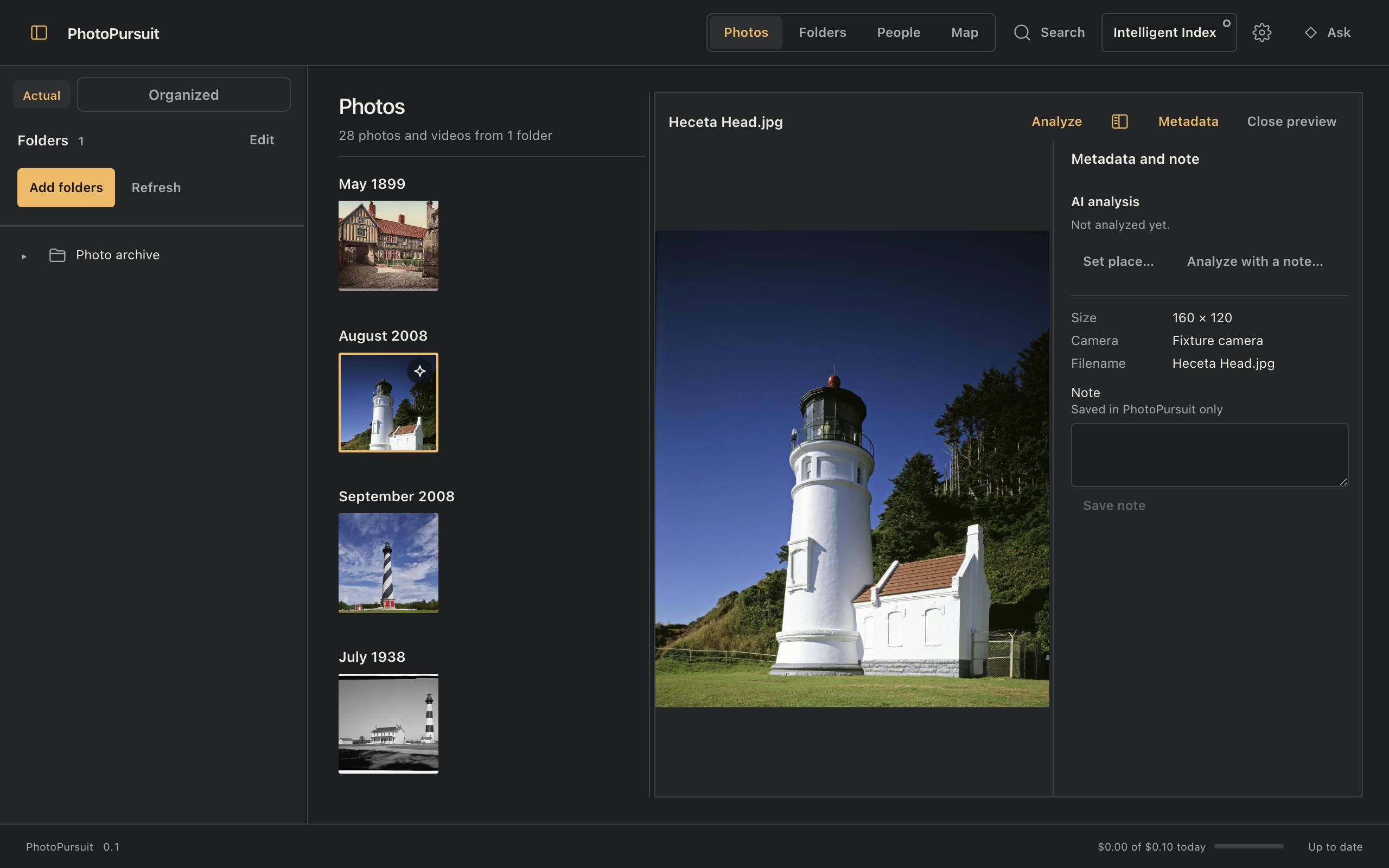
Browse one timeline of every photo and video in your chosen folders, or the folder tree, and view the formats macOS reads, including HEIC, HDR and many RAW files.
Search in plain words
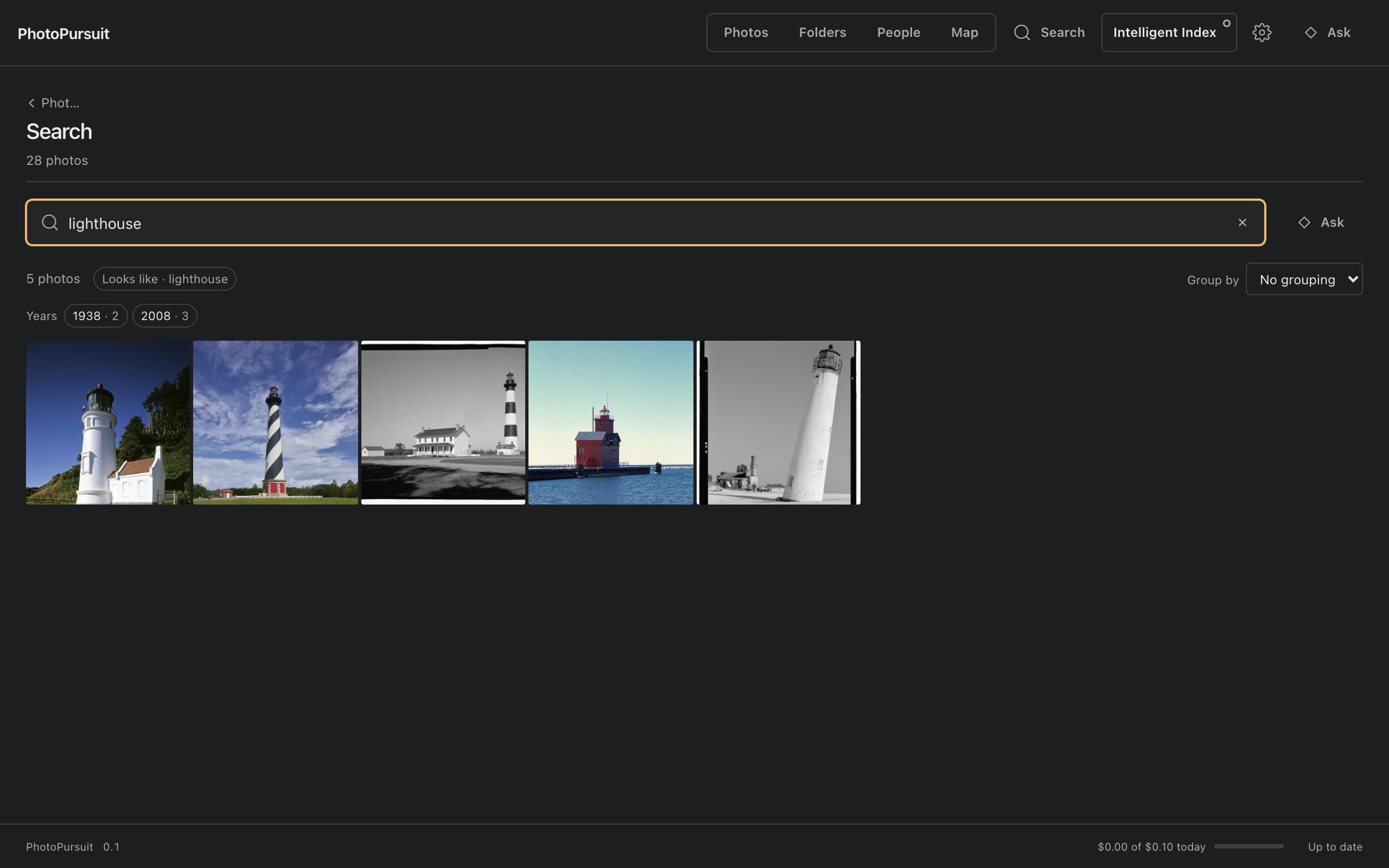
Search by what’s in a photo, text in the image, or where and when it was taken. Search runs on the Mac; descriptions come from the AI provider you choose.
Ask
Ask a question about your library, or request a change such as gathering one trip’s photos into a virtual folder. Ask shows what it did, and Undo reverses it.
Organized, without moving files
Organized proposes virtual folders based on what’s in your photos. The files on disk stay exactly where they are.
People, places and videos
Optional face grouping on the Mac, an offline map of where photos were taken, and recognition of sounds and speech (on macOS 26) in videos on the Mac, so videos turn up in search too.
Privacy
What stays on the Mac
Your files stay put
PhotoPursuit reads the folders you choose. It never moves, renames or edits the originals. The catalog stays on the Mac, and keys stay in the macOS Keychain.
No account, ads or analytics
PhotoPursuit needs no GT Labs account and has no ads or third-party analytics.
Analysis within your limits
In development builds, only photos you pick or photos in folders you choose to index are described, within a daily spending limit you set. Descriptions go through your own Fireworks account; builds can also use OpenRouter or your own OpenAI-compatible server.
Small copies, no location
Before a photo is sent for a description, it is copied at no more than 1,024 pixels, with location, camera details and file names removed.
Text, not photos, for Ask
Ask and Organized send only catalog text, such as dates, tags, camera, notes, place names and file and folder names. They never send the photos, GPS coordinates or full file paths.
Requirements
What you need
- Runs on
- A Mac with Apple Silicon (tested on macOS 26.2 and 26.3)
- Installer
- Disk image, ad-hoc signed (not yet notarized by Apple)
- Originals
- Read only; never moved, renamed or edited
- Internet
- Only for photo descriptions, Ask, Organized and street names in search
- Status
- Early private beta, version 0.1.0 (Beta 1): folder selection only
Availability
Early private beta
Beta 1 only chooses and remembers folders. It is not notarized by Apple yet, so macOS may block it; open it only if you trust this source. Browsing, search, Ask and Organized work in development builds and are planned for a later beta.
Testers join by invitation. To ask for one, email hello@gtheolabs.com.
Demo photos: Library of Congress, Free to Use and Reuse.